
Import List
App guide · Import List
Prepare products before they go live
Section titled “Prepare products before they go live”Import List is where products wait while you prepare them for eBay.
Products can arrive from Item Finder or Automator. You can also add your own products using Add product manually.
A product does not become an eBay listing simply because it appears here. Use Import List to review its details, make any necessary changes, and decide when it is ready to post.
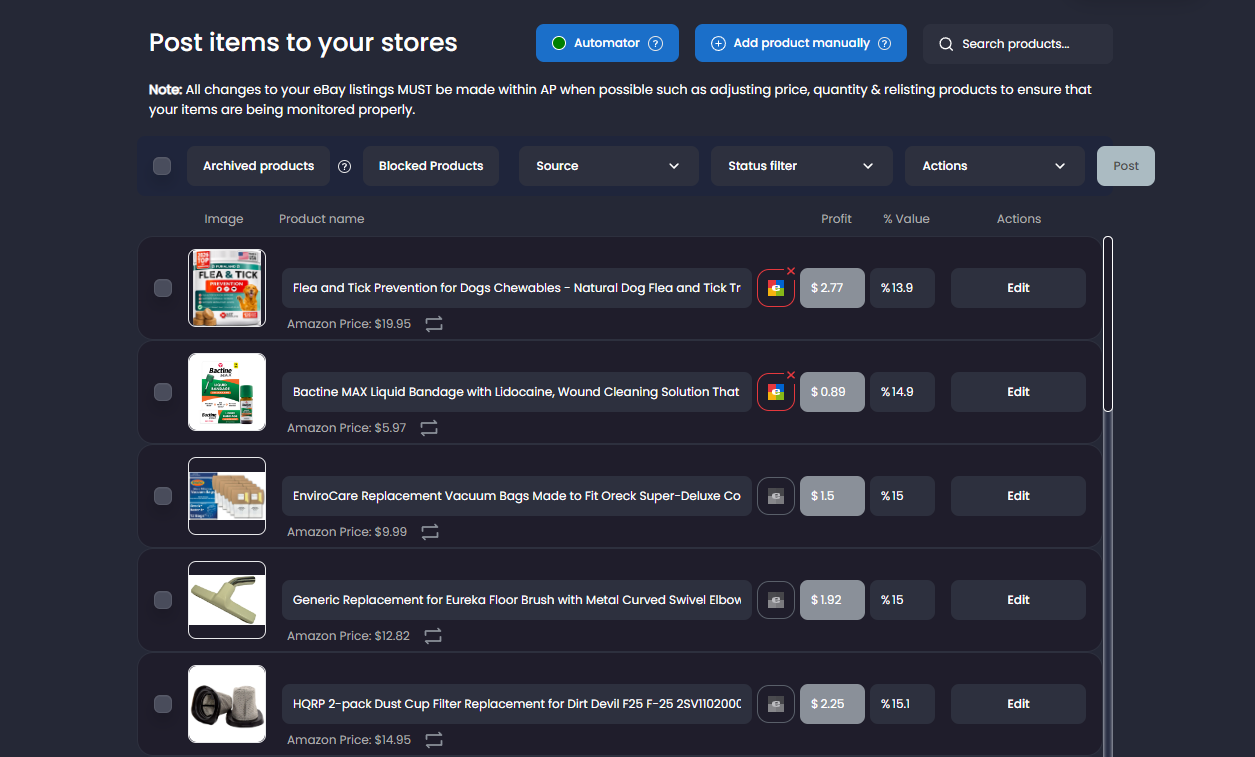
Understand each product
Section titled “Understand each product”Each row represents one product you are preparing to list. It shows the product image, name, expected profit, listing status, and available actions.
A product may be:
- In progress while Dropship Calendar gathers its information.
- Failed if the product could not be prepared or posted.
- Ready for review when you can edit or post it.
- Posted when its eBay listing was created successfully.
Always check the product’s eBay status and any message shown before trying an action again.
Add products from Item Finder
Section titled “Add products from Item Finder”When you find a product in Item Finder, select Add to Import List. Once its information is ready, the product will appear here for you to review.
Add products manually
Section titled “Add products manually”- Open Import List.
- Select Add product manually.
- Paste one or more supported Amazon product links.
- Put each link on a separate line.
- Select Add.
- Wait for the product information to load.
- Review each product before posting it.
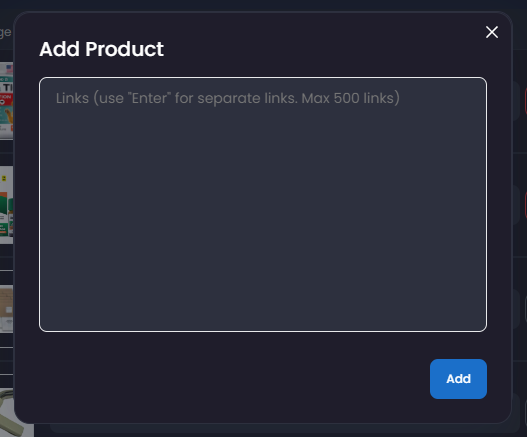
If a link is skipped, the product may already be in your Import List, already listed, blocked, restricted, unavailable, or unsupported.
How products are ordered
Section titled “How products are ordered”Products that need attention appear first. Failed and pending products are shown at the top, followed by products that are ready for review. If a product’s status changes, refresh the page to see the latest order.
Work with multiple products
Section titled “Work with multiple products”Select one or more products when you want to apply the same action to all of them. Depending on their status, you can:
- Change their profit setting.
- Post them to eBay.
- Remove them from Import List.
- Retry products that failed while loading.
Check the number of selected products before applying an action.
Remove failed products
Section titled “Remove failed products”Use Remove failed items when you no longer want failed products to remain in Import List.
Removing a product only clears it from Import List. It does not remove a live eBay listing, and it does not allow a blocked product again.