
Description templates
Description templates provide consistent presentation for eBay listings. They should contain reusable layout and policy-safe copy, not details that are true for only one product.
Create a template
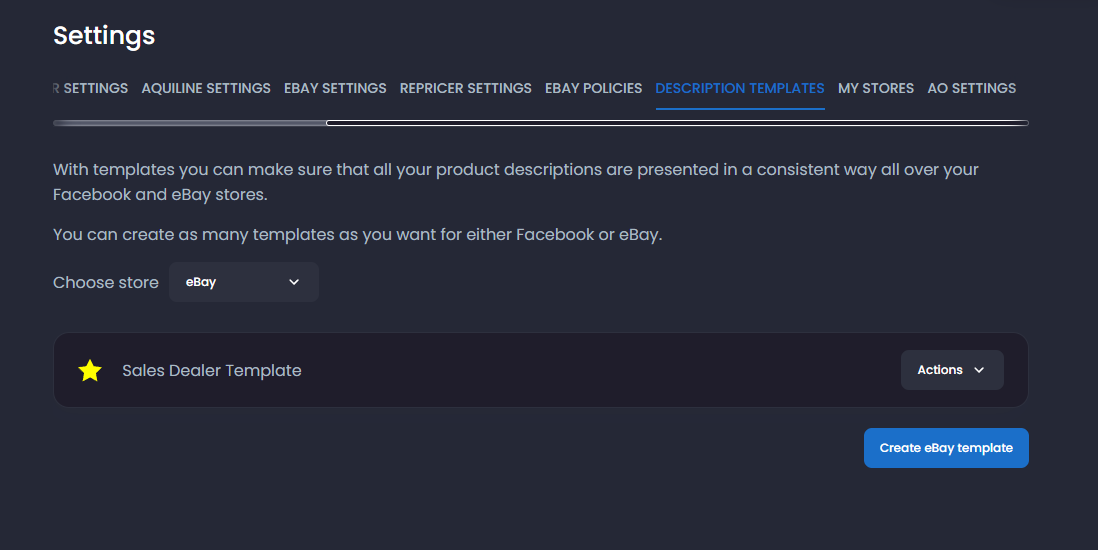
Section titled “Create a template”- Open Settings → Description Templates.
- Choose the eBay template area.
- Select Create.
- Enter a clear internal name.
- Build the reusable description in the editor.
- Save and preview it.
Safe content
Section titled “Safe content”Include:
- Clear structure for product details.
- Fulfillment and support wording approved for your store.
- Reusable formatting that works on desktop and mobile.
Do not include:
- Supplier credentials or internal URLs.
- Unsupported delivery guarantees.
- A different seller’s contact or return details.
- Product-specific claims that will be copied to unrelated listings.
- Scripts, trackers, or hidden content.
Edit an existing template
Section titled “Edit an existing template”Open the template, make the smallest necessary change, save, and preview it against a draft. Existing live listings are not necessarily rewritten merely because a template changed; use the appropriate listing revision when you intend to update them.
Select a template
Section titled “Select a template”Choose the template during Import List preparation or through the applicable listing default. Verify the final product description before posting.
Troubleshooting
Section titled “Troubleshooting”If formatting looks different on eBay:
- Remove unsupported editor formatting.
- Use simple headings, paragraphs, lists, and spacing.
- Check the eBay preview and live listing.
- Test one revised listing before applying changes broadly.