
Automator settings
App guide · Settings
Automator settings control which products the main Automator button adds to Import List.
Set your default criteria
Section titled “Set your default criteria”- Open Settings → Automator Settings.
- Find the Find Products section.
- Complete the product criteria below.
- Select Save settings.
- Return to an eBay store in Item Finder.
You can also select the gear icon beside Automator to choose different criteria for one run.
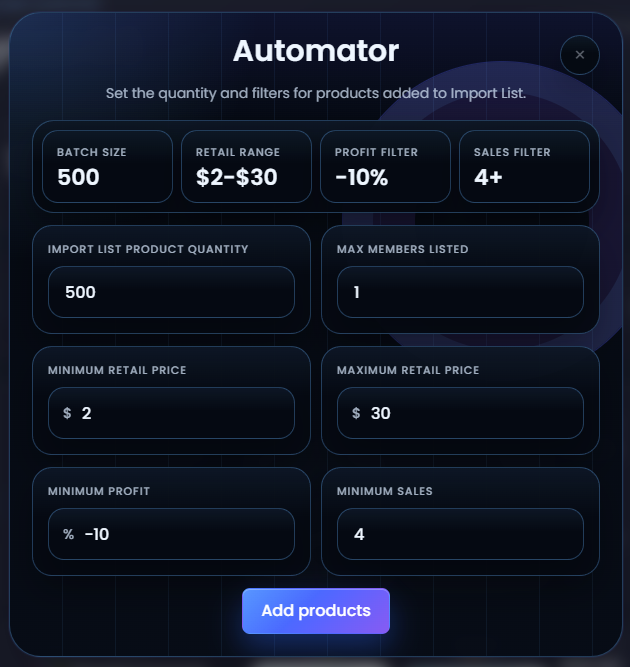
What each setting means
Section titled “What each setting means”| Setting | Purpose |
|---|---|
| Quantity | How many matching products Automator should try to add. The maximum is 500. |
| Minimum supplier price | The lowest supplier price you want to consider. |
| Maximum supplier price | The highest supplier price you want to consider. |
| Minimum profit | The least estimated profit a product should have. This follows your dollar or percentage profit mode. |
| Minimum sales | The least recorded eBay sales a product should have. The minimum is 1. |
| Max members listed | The most other Dropship Calendar members who may already have the product listed. |
Leave Max members listed blank when you do not want a limit. Enter 0 when you only want products that no other Dropship Calendar members have listed.
Use your saved criteria
Section titled “Use your saved criteria”After saving, open a scanned eBay store in Item Finder. The number above Automator shows how many products match your criteria. Select Automator to add up to your saved quantity.
If fewer products match, Automator adds only the products that qualify.
Start with a manageable quantity
Section titled “Start with a manageable quantity”Use a quantity you can comfortably review in Import List. Increase it after you understand the results produced by your criteria.
The Post From Import List section on the app settings page controls a separate posting workflow. You do not need to configure it to use Item Finder Automator.
Continue with Automator when your default criteria are saved.